
1. Set up an A/B test campaign
1-1. Choose the campaign type
In Basic Information and Channel, select A/B Test Campaign to open the A/B test settings.1-2. Configure the messages and actions
Under Message and Action, set a title, message, and image for each group. Notifly randomly assigns users to groups based on the proportions you enter.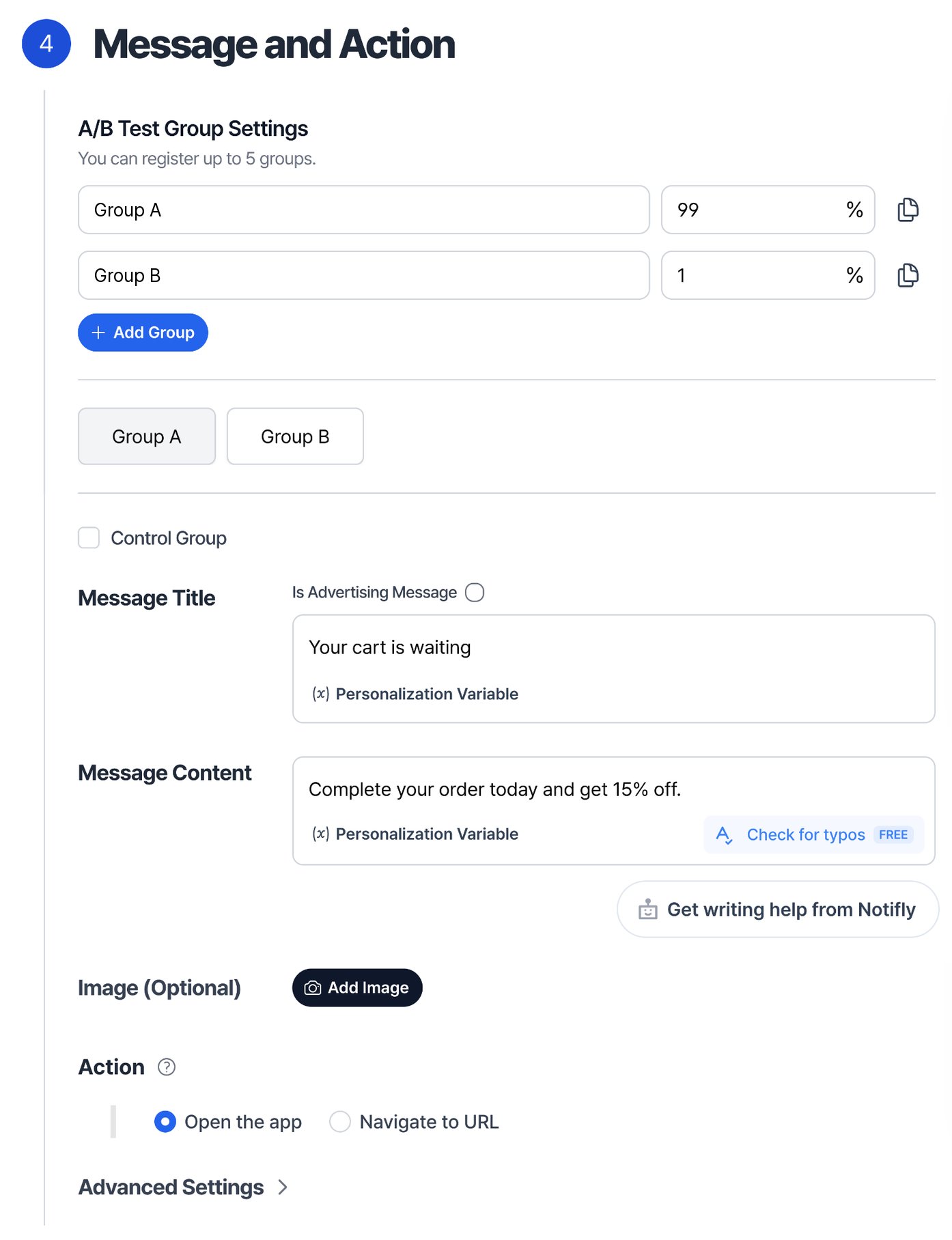
Add a Control Group to compare results for users who receive a message with results for users who receive none.
2. End an A/B test
In the campaign list, select End A/B Test, then choose which group to keep. If you choose a group that received a message, the campaign becomes a Standard Campaign and uses that message for the entire target audience. If you choose the Control Group, the campaign ends.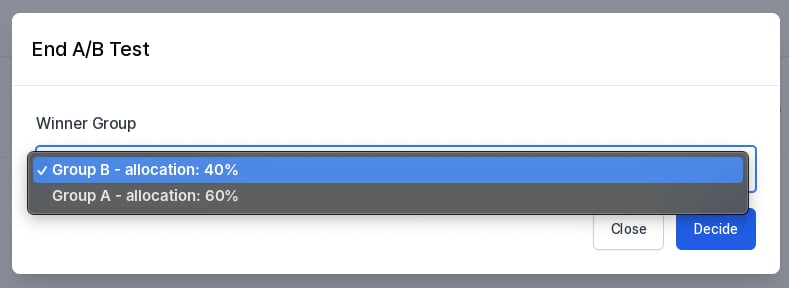
3. Analyze an A/B test
Open Campaign Delivery Status to see daily test results. Under A/B test results, select the event in Event name and the two groups in Comparison group.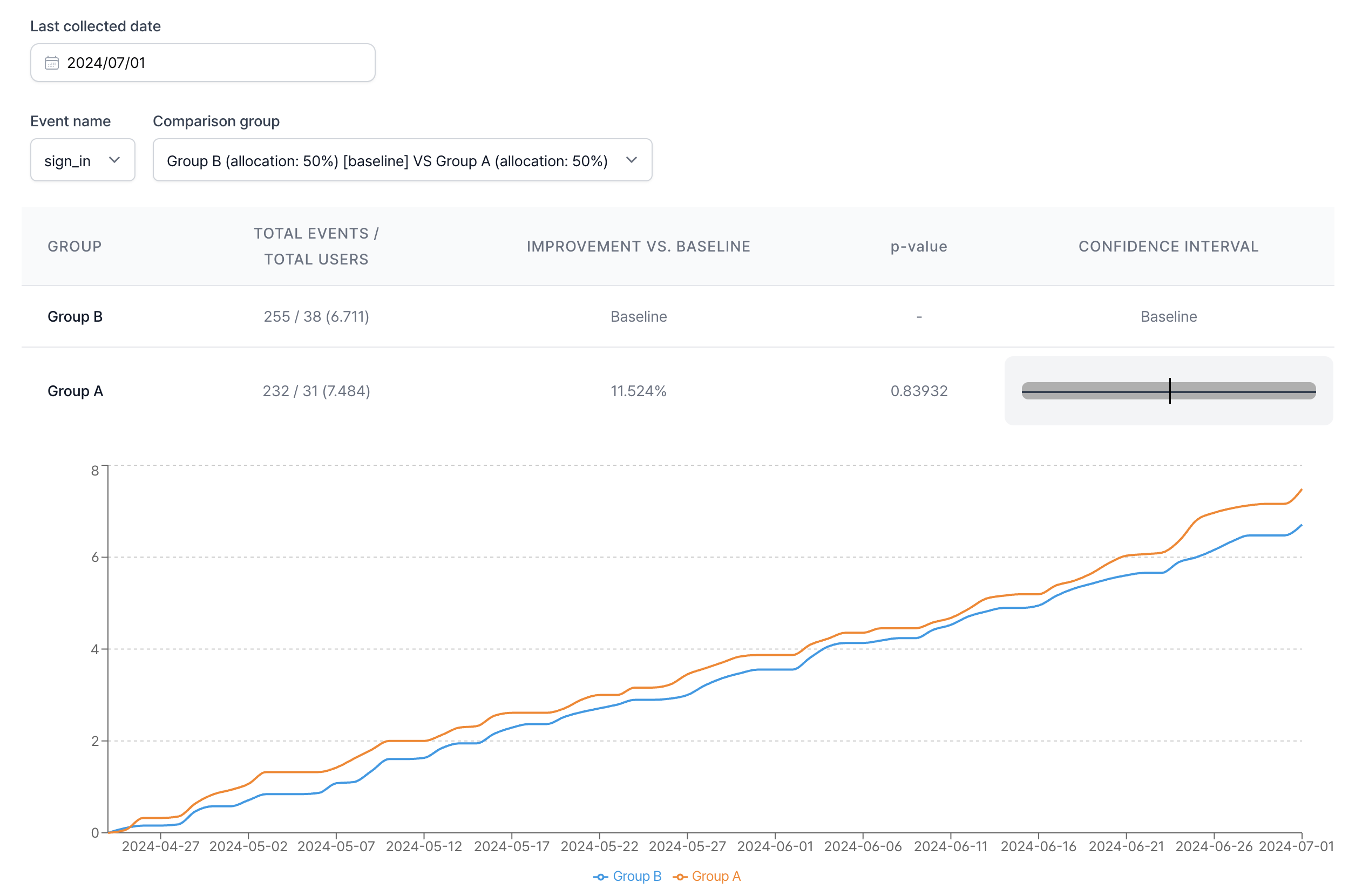
- Total events / Total users shows the selected event count and the number of potential recipients in each group. The number of actual recipients can be lower. The value in parentheses is the event count divided by the user count.
- Improvement vs. baseline is the percentage change in events per user compared with the baseline group.
- p-value helps you assess whether the difference between a comparison group and the baseline is statistically significant. Values range from 0 to 1. A p-value below 0.05 is commonly considered statistically significant.
- Confidence interval gives the range of plausible values for lift over the baseline. A 95% confidence interval that excludes zero indicates a statistically significant difference at the 5% level.